
Payment demo
Pick a product at the sample merchant Moonlight Store. The merchant server creates the payment and the browser simply opens the checkout with T9Pay.open(). Enter the confirmation code in the checkout, simulate a deposit, and watch how the webhooks and the order status change.
This page is a sandbox that runs entirely in your browser. No real USDT moves, and orders disappear when you reload. No deposit address or QR code is issued, so that screen is shown in the screenshots of the real checkout.
Moonlight Store
1 USDT = ₩1,380 (fixed demo rate)Basic pass
1 month, core features
₩15,000Pro pass
3 months, all features
₩50,000Annual pass
12 months, 2 months free
₩120,000
Orders
Simulate underpaid, overpaid, and flagged deposits to see how they are detected.No orders yet. Pick a product above to start a payment.
Webhooks received by the merchant
Latest 50, newest firstWebhooks appear here once you create a payment. The receipt is included only in payment.confirmed.
Not in the demo: virtual address, QR code, and receipt
The moment the order is confirmed, the real checkout issues a one-time deposit address (virtual address) for that order alone and shows it with a QR code. So that nobody sends real assets after looking at a demo screen, this page does not create addresses and shows captures of the real screens instead. The receipt page customers get after confirmation is included too.
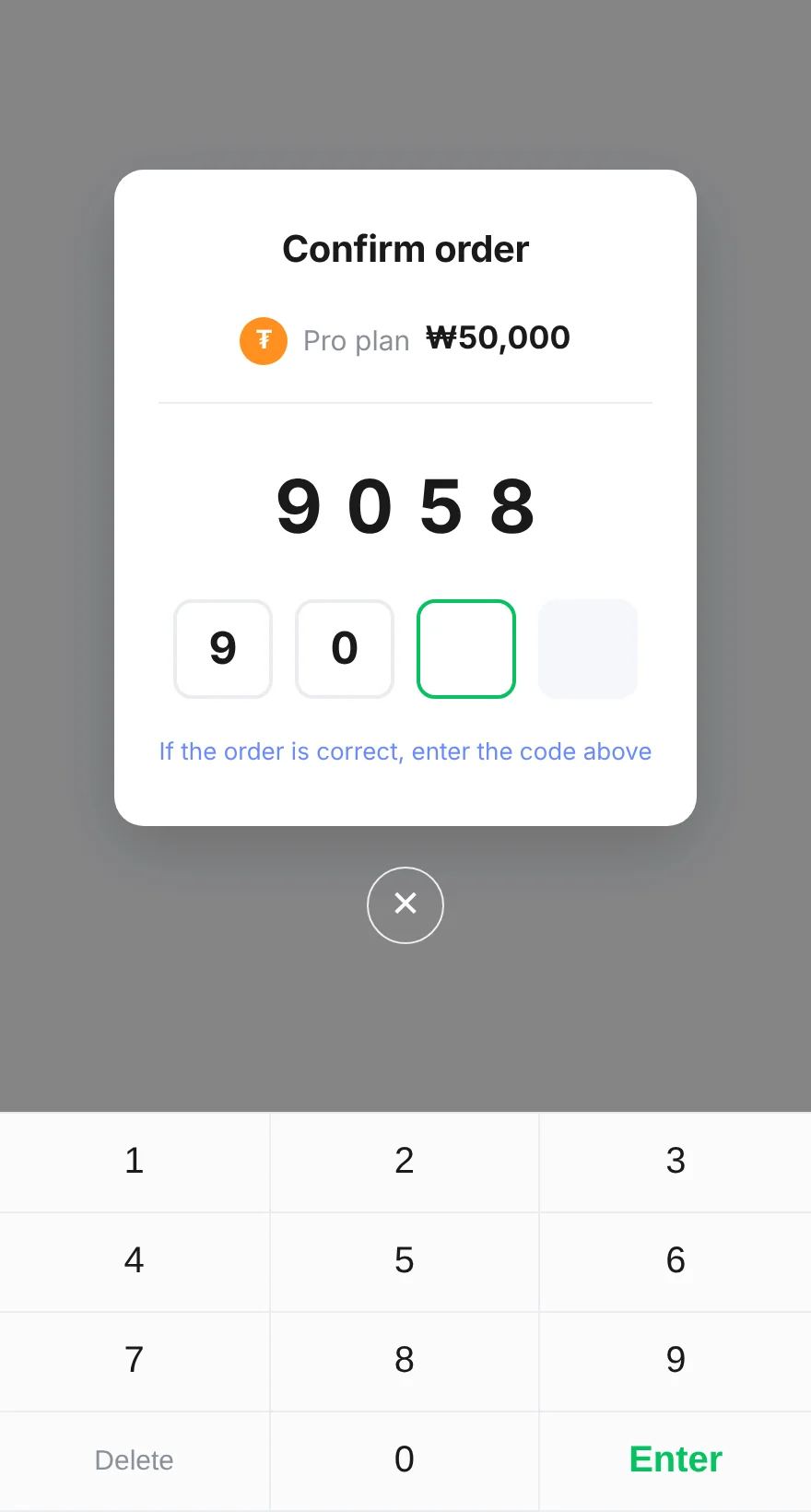 01
Order confirmation
Shows the product and amount and asks for a four-digit confirmation code. The address is issued only after this step.
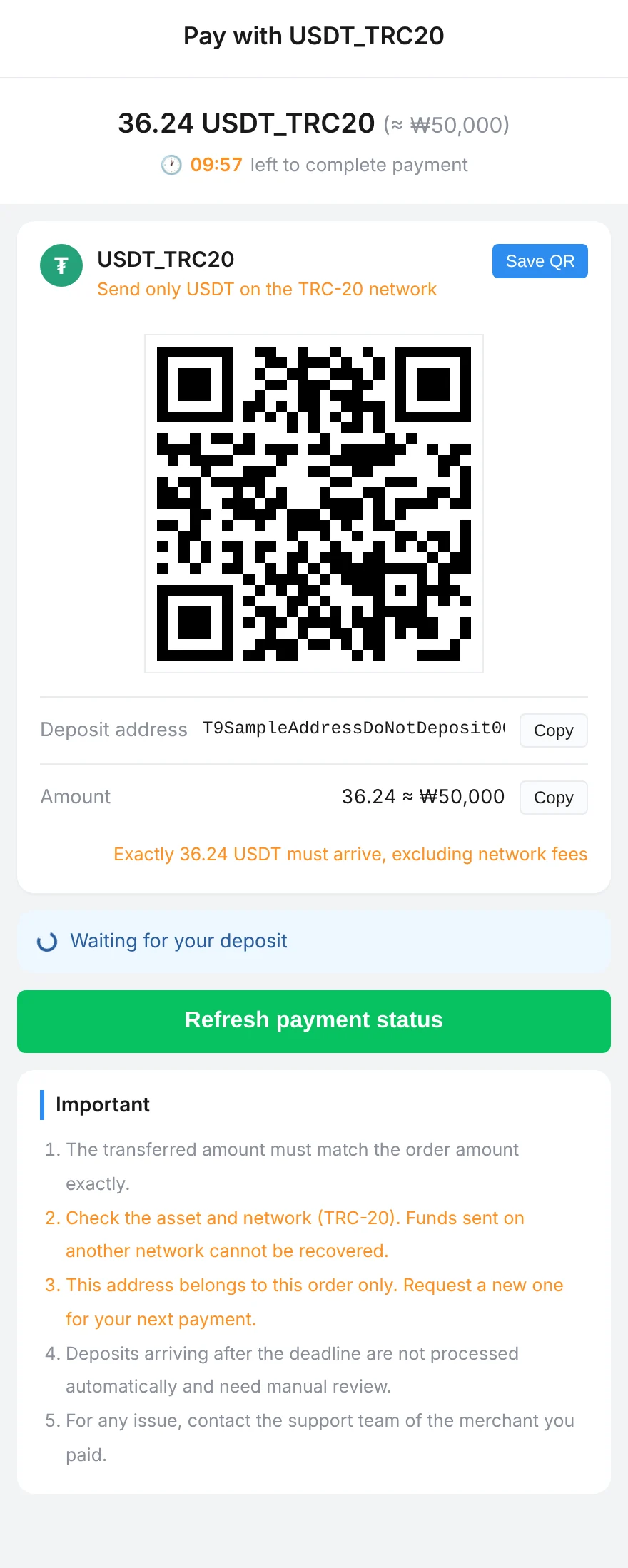 02
Virtual address and QR code
Shows the address and QR code for this order, the exact amount, and the time left. The address and amount can be copied with a button and the QR code saved.
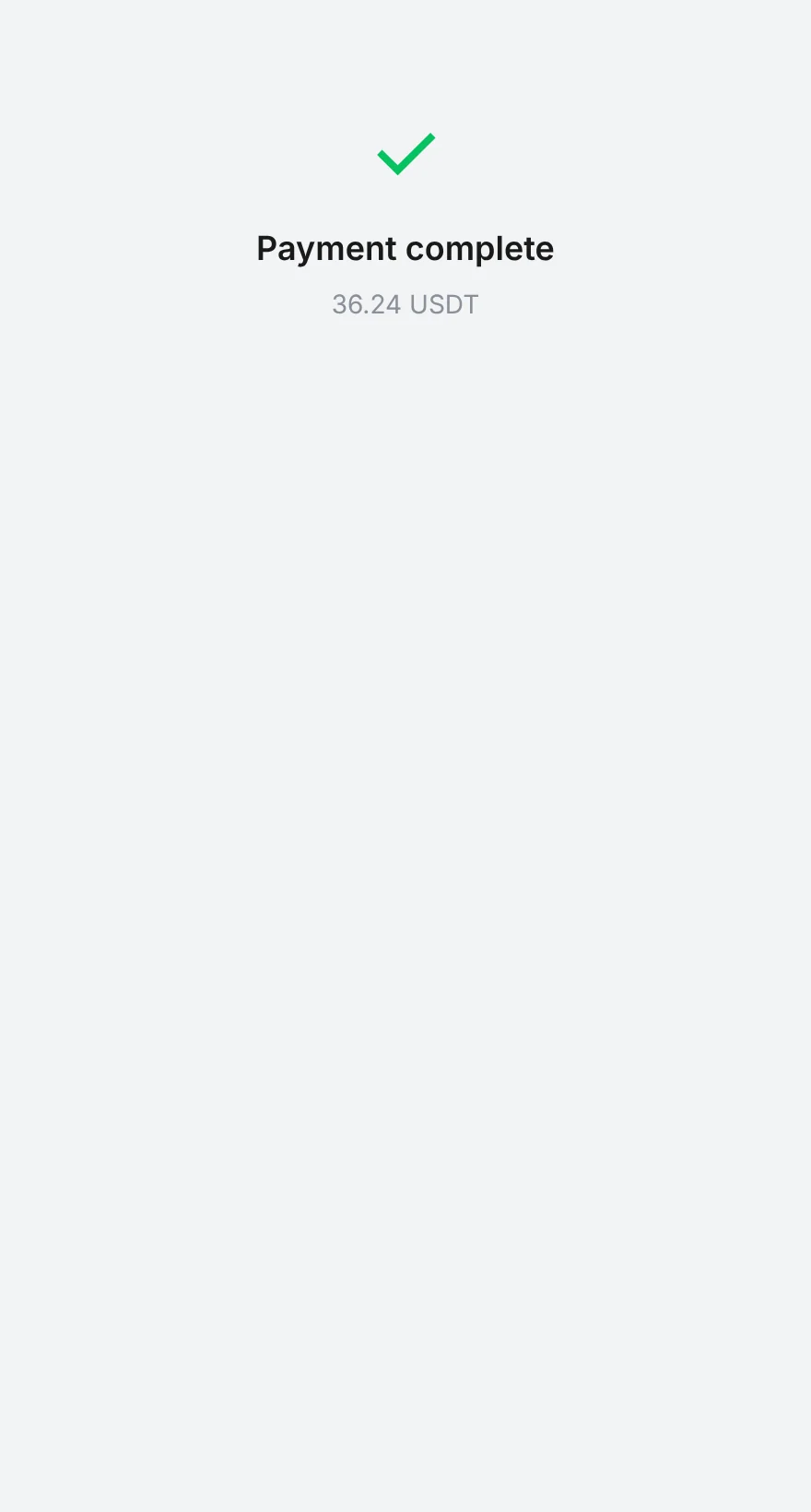 03
Payment complete
Once the deposit is confirmed the screen changes to complete, and the merchant receives a webhook that includes the receipt.
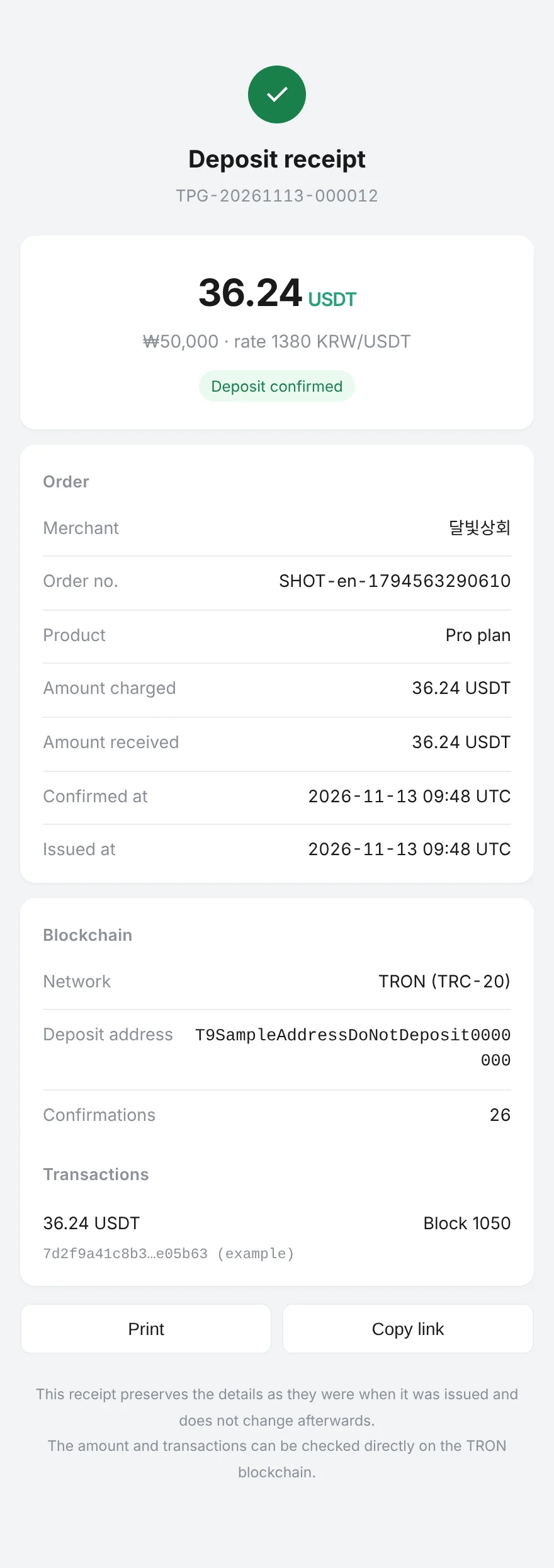 04
Deposit receipt
The receipt page given to the customer once the payment is confirmed. It shows the amount and exchange rate, the order, the deposit address, and the transaction, and can be printed or shared by link. Its contents do not change after it is issued.
- Automatic matching
- One address, one order. The order is found with no memo or tag.
- One-time
- Every order has its own address, so deposits never get mixed up.
- Separated fund handling
- Receiving payments and moving funds are run as separate operations.
- Automatic settlement
- Confirmed deposits flow into settlement automatically.
The screenshots were taken from the real checkout and receipt page running in a sandbox. Only the address, QR code, and transaction ID were replaced with sample values that cannot receive funds.